Showing posts with label Tutorial. Show all posts

Wednesday, July 20, 2011

How To Install Vechile Mod In Gta(Method 3)

This 3rd method is the most basics and most others people use. Its is a manual installer so you need to search and replace the file yourself. Backup is not able after you have replace the file.

TXD Workshop 


Download it here : http://www.gtagarage.com/mods/show.php?id=8320

1.Open img and select gta3.img
2.Select the car you want to replace.
3.Car name replace with an id ex :greenwood car -greenwoo
4.Search the car you want to replace at the search box below at the left side
5.Right click and the file and select replace.
Done


Sunday, July 17, 2011

How To Install Vechile Mod In Gta(Method 2)

Instead of using SAMI you can use other tools which give you an direct mod install without you going to replace the dff and txd yourself or edit the handling.cfg by yourself.

Method 2
Gta Garage Mod Manager
This tools can dierctly install the mod by replacing dff and txd directly.You just need to specify the dff files and txd files

1.Choose the cars you want.
2.Right click and select Manual mod installer
3.Browse for the dff and txd 
4.Click Install and done.
But this tool cant backup file that you have replace unlike SAMI tool.


How To Install Vechiles Mod In Gta(Method 1)

Modding is replacing the original files like( ped,vechile,weapon , and more)
To do that first you need to
Method 1 -Using Manual Installer

SAMI(San Andreas Mods Installer
This tool will directly backup and replace the file dff and txd in the gta3.img
And change the handling. This tools can only install vechiles mods.
Link: http://www.gtagaming.com/downloads/gta-san-andreas/tools/1352

Example: I download this bike mod from gtaplace
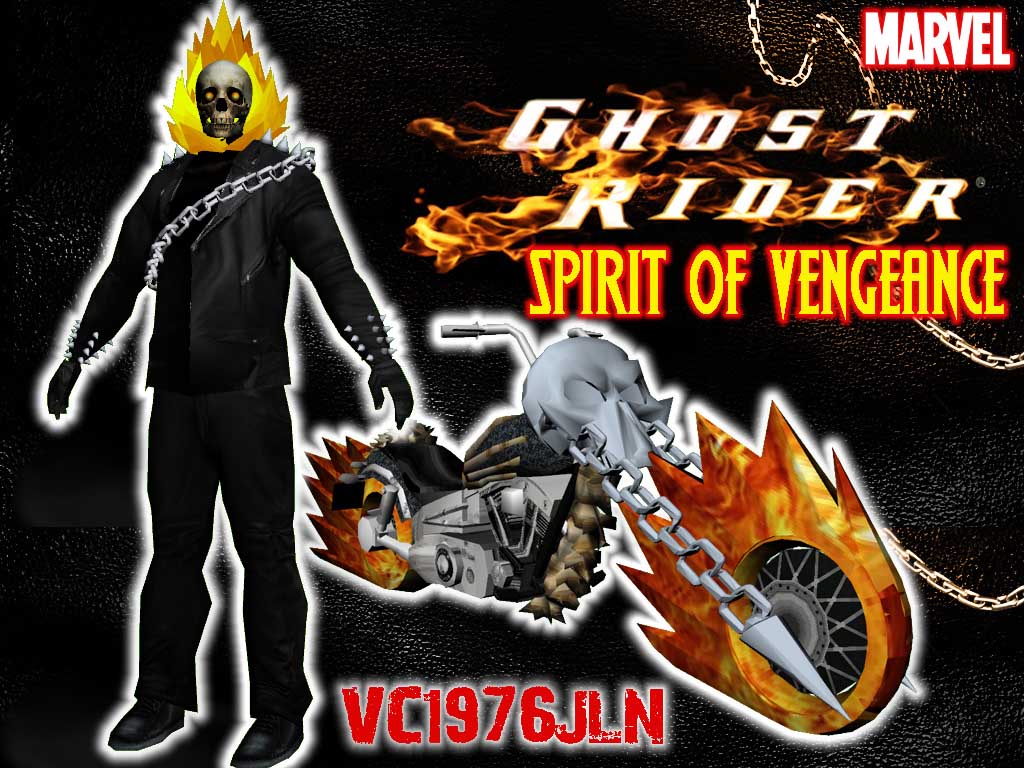
This mods will replace FCR-900 as the ghost rider bike.Theres two type of selection in this bike.
1.with glowing tyre
2.without glowing tyre

Download, Install, and Run the San Andreas Mods Installer(SAMI)
Then choose your gta directories and browse your mods (rar files) 
Make sure you check box Backup files

There was a two selection in this bike mods like i said
Chose which one will you use.

This tool can edit the handling itself

After that choose which bike will you replace. Remember bike must be replace with bike dont replace it with bicycle or car or it will crash the game. You can enter the custom name of your mod installed.
Its easy if you want to uninstall it.
Finally click install.


Wednesday, July 13, 2011

How To Unloack Locked Dff files

This is not recommended for reediting and reupload the dff or you will banned from the authors.
Here the solution.
Download program called RWanalyze can be found on Steve Gta pages.
Run and open the dff files and Zmodeler Lock.
Delete all of it and Save.
Then open dff files in 3ds max and it should be unlocked.

Saturday, June 25, 2011

Naruto Shippuden Dragon Blade Chronicle(Wii)

Playing nintendo wii game on pc and how i rip 3d model from game

1.Run Dolphin Emulator by 3d ripper dx
2.Run your wii game
3.In game press F12 to capture

4.Open in 3ds max .Import 3dr file.

Total model that i collect
After rendering


Tuesday, June 21, 2011

How do i made 3d model (RIP)

Fisrt you need to have these program :
-3d ripper dx
-3ds max

Run your game and select your game directory.
Launch your game.
You will see at top of the corner (ready to capture) Press F12 to start rigging(capture 3d)
Press F11 for the wireframe mode.After capture within 1-5 minute. Close your game.

Then, open up 3d Studio Max.
Go to 3ds max start button> Import
Select My Document>3d Ripper DX>Frame
Select the 3dr file format.
Then, go to recommended value and select one of it.
Wait for it to loading.


After done. It could be like this.
This is where i capture a 3d scene in a house.
Delete unessecory object.
Delete all object that you dont need until you found what tou want.
One of the 3d model that i rip.
Press F9 to render image.
Save image as png (have transparent background)
Image could be save in high resolution with is 48 bit colour.